SLP Practice Scheduling Software & Patient Reminders
Organize Intake. Book More Patients.
Capture inquiries and professional referrals, keep waitlists current, and move prospective patients into your existing EHR with less manual follow-up.
Built for solo and growing SLP practices. Designed to work alongside your EHR, not replace it.

WHAT HAPPENS BEFORE THE EHR
The Clinical System May Be Organized.
The Front-Office Journey Often Is Not.
Most EHRs are designed around active patients and clinical records. The earlier steps may still live across voicemail, website forms, email, spreadsheets, calendars, referral documents, and staff memory.
1. Scattered inquiries
Calls, website forms, emails, social messages, and direct referrals may arrive in different places.
2. Inconsistent follow-up
The first response may be quick on a quiet day and delayed when the clinical schedule gets busy.
3. Stale or difficult waitlists
Preferences change, families stop responding, and it becomes harder to identify an appropriate match for a new opening.
4. Fragmented professional referrals
Referral information, source attribution, missing details, and follow-up may depend on inboxes, fax folders, or staff memory.
5. Messy EHR handoff
Staff may need to retype information, send registration links manually, and update several systems when an inquiry is ready to move forward.
InfinityStorm connects these front-office steps into one managed process without turning the system into a second clinical record.
THE FRONT-OFFICE LAYER
One Connected Journey
Instead of Separate Tools
InfinityStorm combines the practice website, inquiry process, professional-referral path, waitlist workflows, follow-up, staff routing, source tracking, reporting, and EHR handoff into one configured system.
Inquiry Management
Organize website inquiries, phone inquiries, missed calls, consultation requests, and evaluation requests with a clear status, owner, and administrative next step.
Professional Referrals
Create a distinct referral path for physicians, schools, OTs, psychologists, other SLPs, and community partners without mixing professional relationships with patient communication.
Waitlist and Capacity
Track continued interest, preferences, wait time, service needs, and potential matches when an appropriate opening becomes available.
Follow-Up and Staff Routing
Use approved messages, tasks, assignments, escalation, and stop conditions so the team can see what still needs attention.
Referral and Growth Visibility
See where inquiries and professional referrals come from, how the front-office process is moving, and where administrative bottlenecks may exist.
EHR Handoff
Prepare a minimum-necessary, staff-reviewed handoff while the EHR remains the source of truth for active-patient and clinical work.
Note: Clients receive a configured system, implementation judgment, training, maintenance, and ongoing support, not merely a software login.
DESIGNED TO WORK ALONGSIDE YOUR EHR
Keep Clinical Work Clinical
Your EHR remains the source of truth for active patients, clinical scheduling, records, documentation, billing, claims, and care. InfinityStorm manages the prospective-patient and practice-growth workflow around it.
- Public website
- Phone and website inquiries
- Professional-referral intake
- Consultation & evaluation requests
- Missed-call response
- Administrative follow-up
- Waitlist organization
- Continued-interest checks
- Capacity-opening workflows
- Staff tasks and assignments
- Referral-partner tracking
- Review requests
- Source attribution
- Operational dashboards
- EHR handoff preparation
- Active patient record
- Clinical scheduling
- Evaluations
- Treatment
- Documentation
- Diagnoses
- Treatment plans
- Billing
- Claims
- Authorizations
- Patient portal
- Clinical communication
- Records retention
Where a secure, supported integration is available, we can assess it. When it is not, we create a simple, reliable handoff using an approved staff task, secure registration link, export or import process, webhook, or supported API.
PATIENT AND REFERRAL JOURNEYS
Families and Professional Referrers
Should Not Enter Through the Same Door
A family inquiry and a professional referral may involve different information, permissions, communication, and follow-up. InfinityStorm keeps those paths distinct while giving the practice a shared operational view.
Patient or Family Inquiry
Public forms should collect only the minimum information needed for the administrative next step.
Professional Referral
Patient details should not be used in professional marketing or referral-partner nurture communication.
WAITLISTS ARE ACTIVE WORKFLOWS
Keep the List Current and Make
Openings Easier to Review
A useful waitlist should show more than a name and phone number. Staff may need to understand continued interest, service needs, scheduling preferences, location, age range, payment considerations where appropriate, and how long the person has been waiting.
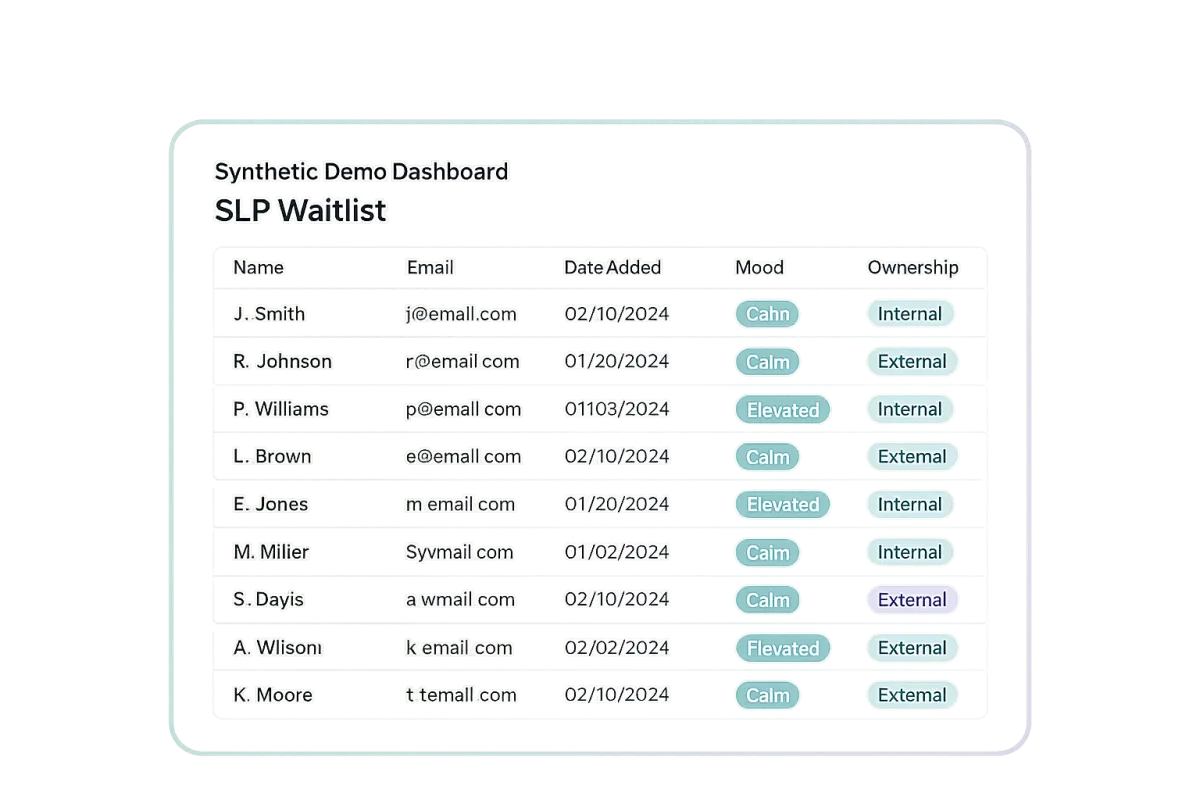
- Track continued-interest responses
- Record approved scheduling and location preferences
- Identify stale or unresponsive entries
- Filter potential matches for a specific opening
- Create staff-reviewed outreach groups
- Stop the workflow when someone schedules, declines, opts out, or moves elsewhere
- Report on waitlist age and status
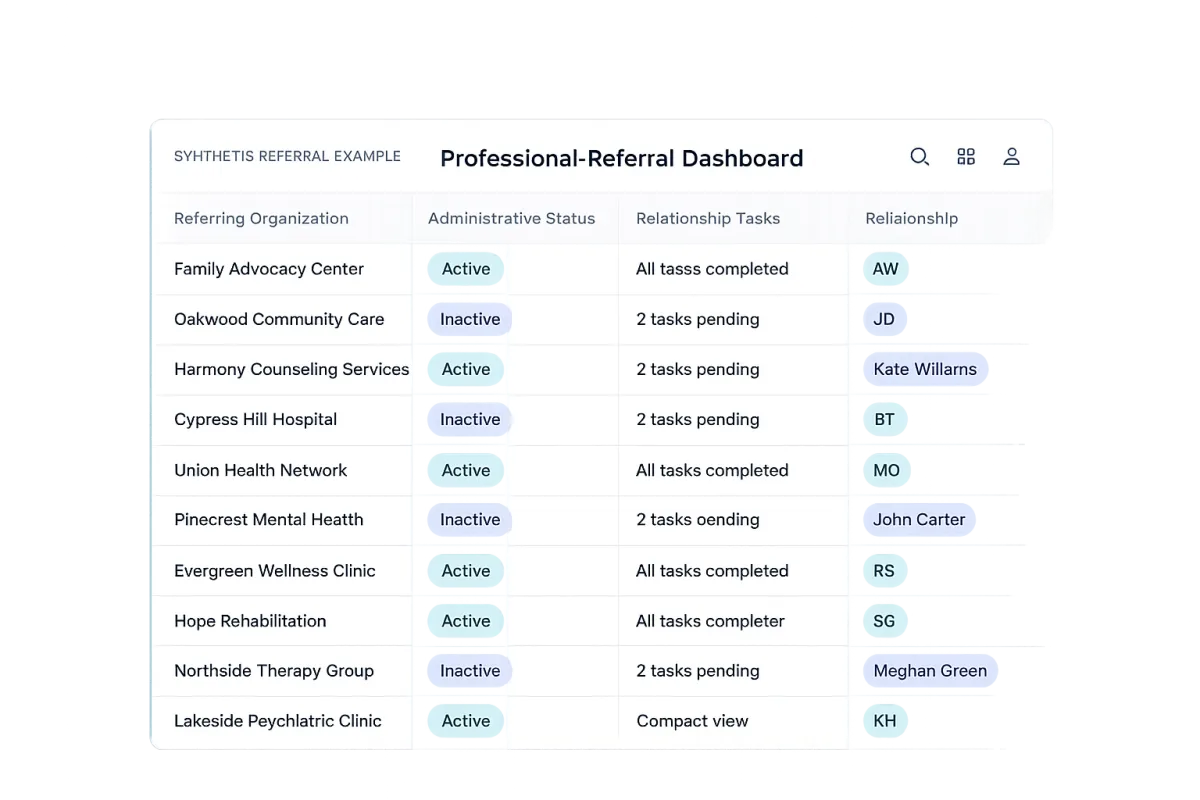
- Separate patient records from professional-contact records
- Track which organizations and professionals refer inquiries
- Record relationship activity and follow-up tasks
- Support appropriate referral receipt or status communication
- See which referral relationships remain active
- Keep patient details out of marketing outreach
REFERRAL VISIBILITY
Receive Referrals Clearly and
Maintain Important Relationships
InfinityStorm can help the practice create a defined process for receiving professional referrals, identifying missing administrative information, tracking referral sources, assigning staff tasks, and following professional relationships over time.
CLEAR HUMAN RESPONSIBILITY
Automation Should Support the Team,
Not Hide the Work
The system can acknowledge inquiries, create tasks, route messages, and support routine follow-up. Human approval remains in place wherever judgment, sensitivity, or clinical context matters.
1. Capture
Create the contact and administrative record from an approved inquiry, missed call, form, or referral path.
2. Route
Assign the inquiry, create the appropriate task, and notify the responsible person.
3. Follow Up
Use approved administrative messages and reminders with reply, scheduling, handoff, closure, and opt-out stop conditions.
4. Escalate
Move clinical questions, sensitive situations, unclear requests, and exceptions to qualified practice staff.
InfinityStorm does not provide manual intake labor, receptionist services, referral coordination, or clinical triage.
OPTIONAL AI-ASSISTED SUPPORT
Useful for Routine Administration.
Restricted Where Judgment Belongs.
Depending on the selected scope, AI may assist with approved nonclinical communication, information capture, routing, drafting, summaries, and staff escalation.
AI May Assist With
- Approved nonclinical FAQs
- Basic inquiry acknowledgment
- Minimal contact-detail collection
- Website or SMS inquiry routing
- Drafting routine follow-up
- Summarizing administrative activity
- Internal documentation
- Staff escalation
- Human takeover
AI Does Not
- Diagnose
- Give clinical advice
- Assess urgency
- Make eligibility decisions
- Make insurance decisions
- Promise availability
- Select patients
- Make treatment decisions
- Replace qualified staff
- Transfer clinical records without approved controls
Customer-facing AI is not included in every system and should only be enabled after the knowledge base, escalation rules, vendors, permissions, and data flow have been reviewed and approved.
BUILT FOR DIFFERENT PRACTICE STAGES
Start With the Level of Structure
Your Practice Actually Needs
Preparing to Launch
Build a professional website, inquiry path, referral route, simple waitlist, and EHR handoff before the first few referrals become a patchwork of tools.
Recently Launched Solo
Reduce reliance on voicemail, spreadsheets, inbox searching, personal reminders, and late-night administrative cleanup.
Established Solo
Improve waitlist visibility, referral attribution, delegation, follow-up, reviews, reactivation, capacity awareness, and owner reporting.
Small Group Practice
Give owners, administrators, and clinicians a shared view of who needs attention, where capacity exists, and what has moved into the EHR.
Plan fit depends on workflow complexity, routing, waitlists, locations, reporting, permissions, and integrations, not clinician count alone.
DONE-WITH-YOU IMPLEMENTATION
A Working System, Not a
Login Plus Homework
InfinityStorm reviews the current process, configures the agreed system, tests the workflows, documents responsibilities, trains the appropriate staff, and provides ongoing managed support.
01
Review the Current Process
Map how website inquiries, calls, referrals, consultation requests, waitlists, follow-up, capacity, and EHR handoff work today.
02
Define the Operating Rules
Confirm fields, statuses, roles, assignments, messages, approvals, stop conditions, exceptions, and source-of-truth decisions.
03
Build the System
Configure the approved website pages, forms, pipelines, workflows, communication, dashboards, and handoff methods.
04
Test With Synthetic Data
QA the normal path, exception paths, duplicate prevention, opt-outs, permissions, notifications, tasks, and handoff process before real use.
05
Train, Launch, and Support
Train the designated staff, obtain required approvals, launch the included system, maintain the configured features, and handle approved ongoing improvements.
Implementation Note: Implementation timing depends on the selected scope, complete onboarding information, payment, access, client approvals, staff availability, vendor requirements, and any supported integration review.
HUMAN APPROVAL GATES
Some Decisions Should Never Be
Blindly Automated
The system is designed to reduce administrative friction while preserving human responsibility where professional judgment, privacy, or clinical context matters.
Common Questions From
SLP Practice Owners
Does InfinityStorm replace my EHR?
No. Your EHR remains the source of truth for active patients, clinical scheduling, records, documentation, billing, claims, and care. InfinityStorm manages the prospective-patient, referral, waitlist, follow-up, capacity, and practice-growth workflow around it.
Does InfinityStorm integrate with every SLP EHR?
No. Integration options depend on the EHR, supported APIs or connections, vendor agreements, the information involved, and the practice’s configuration. Where a secure, supported integration is available, we can assess it. Otherwise, we create a simple, reliable staff-controlled handoff.
Will InfinityStorm store clinical records?
The system is not intended to become a second patient chart or clinical record. The goal is to minimize sensitive information and keep diagnoses, treatment plans, clinical notes, billing, authorizations, and other clinical records inside the appropriate EHR.
Can the system help with waitlists?
Yes. Depending on scope, the system may support continued-interest checks, administrative preferences, staff review tasks, aging reports, standard filters, potential opening notifications, response routing, and inactive archiving. Staff remain responsible for suitability and final scheduling.
Can it help manage professional referrals?
Yes. The system may include a professional-referral form, source tracking, staff tasks, missing-information follow-up, permitted receipt or status communication, and a separate referral-partner relationship view.
Can AI communicate with prospective families?
In some scopes, AI may assist with approved nonclinical FAQs, basic acknowledgment, minimal information capture, routing, drafting, escalation, and human takeover. It should not give clinical advice, assess urgency, make eligibility or insurance decisions, promise availability, or replace qualified staff.
Is this only for larger practices?
No. A serious solo founder may need a professional front door and simple inquiry process, while an established practice may need advanced waitlist, referral, routing, capacity, and reporting workflows. The right fit depends on the actual process, not simply the number of clinicians.
Can InfinityStorm work with our current website?
Possibly. We first review the website, forms, communication tools, EHR, and other systems already in use. Existing tools may be retained, linked, connected, migrated, or replaced depending on the approved scope and supported capabilities.
Does InfinityStorm handle calls and intake for us?
InfinityStorm configures and manages the system. It does not act as the practice’s receptionist, intake coordinator, referral coordinator, or patient-services team.
How do we get started?
Start with a conversation about your current workflow. We will look at what is already working, where administrative friction exists, and whether a simple or more advanced front-office system would be appropriate.

HAVE A UNIQUE SETUP?
Let's Discuss Your Workflow
We'll walk through how your practice currently handles inquiries and identify what may be worth improving.
See What a Clearer Front Office
Could Look Like
We will walk through how your practice currently handles inquiries, professional referrals, waitlists, follow-up, capacity, and EHR handoff, then identify what may be worth improving and what should stay exactly as it is.
No assumption that you need to replace what is already working.
InfinityStorm provides implementation and managed support. We do not sell an empty software account and leave the practice to assemble the system alone.


Contact
Mon-Fri, 9am - 5pm PDT
Serving Local Service Businesses in Seattle, WA & Nationwide
© 2026 InfinityStorm Systems. All rights reserved.